MacPad
Text editor for macOS with tabs, recovery of unsaved drafts and Windows 11 Notepad-style controls. Swift and AppKit, no dependencies.
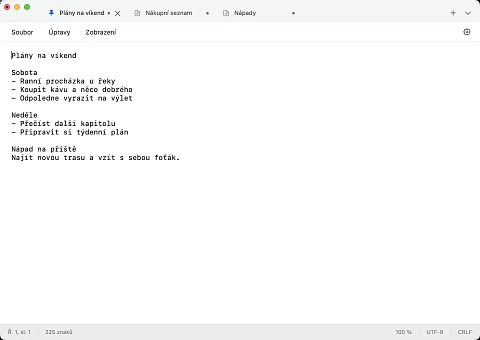
MacPad is a text editor for macOS, written in Swift and AppKit with no dependencies. People who move from Windows to a Mac usually miss Notepad: a window where you can jot something down quickly, close it without saving and find the unfinished text in the same place the next day. MacPad brings that workflow to macOS. It works much like Notepad in Windows 11, unsaved tabs survive closing the app and even a crash, and the file on disk changes only when the user saves it.
Plain text instead of a word processor
The built-in TextEdit is a word processor. It creates new documents in RTF and saves changes straight into the file as you go. That is fine for a letter, less so for notes, configuration files and text from Windows: the file is overwritten even if you only opened it and tried something out.
MacPad works only with plain text and follows the behaviour of Notepad in Windows 11 (version 11.2607.14.0, which it is compared against). Three differences are deliberate: the encoding can be chosen when opening a file, MacPad recognises the same file under two paths (a hard link) as one document, and it does not overwrite a change made by another program without asking.
What makes the work easier
Unfinished text does not disappear
After a restart, drafts, tab order, selection and scroll position come back, even after the process is force-quit, which the repository tests separately. Backup copies never touch the original file. When the user explicitly discards a draft, both of its backup copies are deleted too. Restoring can be turned off in settings.
The file changes only on save
Saving uses an atomic file replace. If another program changes the open file in the meantime, MacPad reports it and offers a comparison: both versions side by side with line numbers, highlighted changes, encoding and line endings. Reloading or overwriting is possible only after the app has checked that both versions are still current. If the file changes during the save itself, the other change is saved to a separate copy and MacPad shows where it is.
Encoding and line endings stay as they were
It opens and saves files in UTF-8, UTF-16 and Windows-1250 and keeps their encoding, BOM and LF or CRLF line endings. The open dialog has an encoding picker and a text preview. Automatic mode reads the BOM or strict UTF-8; if the input does not match, MacPad asks for the encoding instead of silently corrupting the text. An older Czech file from Windows therefore stays in the same format byte for byte after saving.
Tabs, two panes and a quick note
Tabs can be pinned, renamed and moved to another window, and a closed file can be reopened (⇧⌘T). The split editor shows two panes, each with its own selection and scroll position; when both show the same document, they share the text and the undo history. The quick note opens from the menu bar icon or a global shortcut, and Escape hides it and returns focus to the previous app. It works while MacPad is running; the global shortcut is off until the user sets it.
Keyboard instead of mouse
The tab switcher is on ⌘K, the command palette on ⇧⌘P and search across all open tabs on ⇧⌘F. Besides the macOS shortcuts, selected Ctrl shortcuts from Windows also work inside the editor without overriding system shortcuts. Line operations (inserting the date and time, duplicating, moving, sorting, removing duplicate lines) can be reverted with a single undo. Printing goes through the system dialog, so PDF output works too.
Version history and Markdown preview
The optional history of saved versions keeps at most 20 versions per file, 30 days and 100 MiB in total, and restores an old version as a new draft. It is off by default. The Markdown preview shows headings, lists, tasks and formatting next to the source, which it leaves unchanged.
Swift and AppKit without third-party libraries
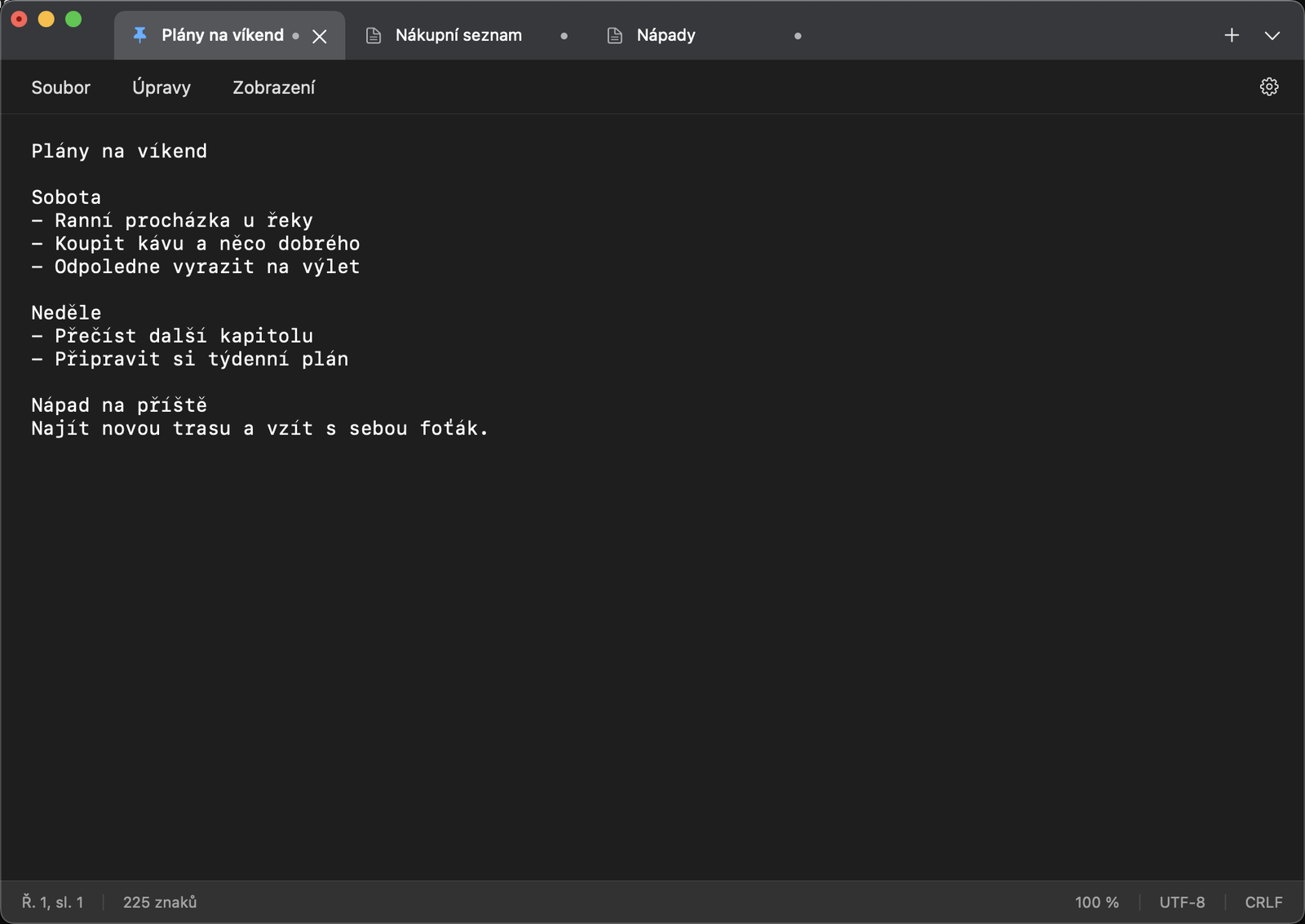
MacPad is written in Swift on top of AppKit and needs nothing beyond the system frameworks AppKit, Foundation, CryptoKit and Carbon. Even the Markdown preview uses the Foundation parser, without a web view. The project is generated by XcodeGen from project.yml. The app requires macOS 14 or later on Apple Silicon; the arm64 package does not support Intel processors. The interface is in Czech and English, and VoiceOver control was tested in both languages.
According to the README, 143 automated tests passed on revision 1b8cf91 on macOS 15.7.4: 48 for the file layer, recovery, history and line comparison, and 95 for AppKit, the split editor, Markdown, printing, keyboard control, contrast and performance. The same suite also passed on macOS 14.8.9 in GitHub Actions. On a Mac with an M1 Pro chip, opening a 50 MiB file takes 746 ms (median) and inserting a character at its end 8 ms. In a file with 10 MiB of Czech text, an insert takes 24 ms.
Who it is for
- People who want the same habits on a Mac as on Windows: tabs instead of files on the desktop, Ctrl shortcuts and text that does not vanish when the window closes.
- Administrators and developers who edit files from Windows servers on a Mac, with CRLF line endings or in Windows-1250, and do not want the editor to convert them.
- Anyone who jots down small things during the day: the quick note in the menu bar is always the same note, whenever it is opened.
Data stays on the Mac
MacPad has no account, no cloud sync and no telemetry. Drafts and history are stored in ~/Library/Application Support/MacPad and are not encrypted, which is worth knowing on a shared computer. Saving to a synced folder works, but simultaneous edits from several machines can end in a conflict. The Markdown preview loads nothing from the network: it shows HTML as text, images only as captions, and opens a link in the browser only after a click, and only for HTTP and HTTPS.
Project status
MacPad is in development at version 0.1.0. The 0.1.0 package has already gone through signing, Apple notarisation, launch through Gatekeeper and an update that preserved drafts on macOS 15.7.4. It has not been released, though, because it was built before the fixes to printing, keyboard control and contrast; the public release is waiting for a new package from the accepted revision. Three things remain open: a cold start of an empty editor takes 1,775 ms (median) against a one-second target, the full comparison with Notepad is not finished, and the Home and End keys with modifiers have not yet been verified on a physical keyboard.
Getting started
MacPad is not in the Mac App Store and there is no ready-made package to download yet; it is built from source. You need Xcode (tested with versions 16.2 and 26.3) and XcodeGen 2.44.1:
git clone https://github.com/nks-hub/nks-macpad.git
cd nks-macpad
bash scripts/build.sh build
open build/DerivedData/Build/Products/Debug/MacPad.app
If you need an editor for Windows as well, or for files of tens of gigabytes, see Textida. MacPad sticks to plain text and notes on the Mac.
Source code
The code is on GitHub in the nks-hub/nks-macpad repository under the MIT licence. Bugs are reported in GitHub Issues; open pre-release tasks are tracked in the repository in TODO.md.