OwnTalk
Chat and calls for your own Nextcloud Talk server from a single codebase for Android, iOS, Windows, macOS and Linux. One installation handles several accounts on different servers.
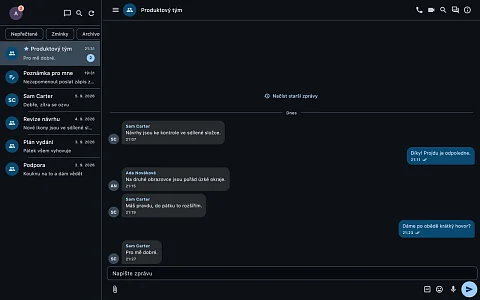
OwnTalk is a chat and calls client for Nextcloud Talk. A company running its own Nextcloud has chat and video calls in Talk on its own server. People, however, switch between a phone, a laptop and a Linux workstation, and often have two accounts, a work one and a private one, each on a different server. OwnTalk covers this with one application: a single Flutter codebase runs on Android, iOS, Windows, macOS and Linux, and one installation is signed in to several accounts on different servers at once. Messages, attachments and calls stay on the Nextcloud whose address the user enters. OwnTalk is not an app from Nextcloud GmbH; it is an independent client.
One client instead of three
Nextcloud releases Talk separately for each platform: an Android app, an iOS app and a desktop app, each in its own repository. OwnTalk shares one codebase across all five systems, so a fix or a new feature reaches the phone and the computer in the same release.
The second reason it exists is notifications. Nextcloud does not talk to Apple or Google directly and passes notifications through a so-called push proxy. The default proxy is run by Nextcloud GmbH and signs with its Apple certificate for its own app's identifier, so notifications for another app cannot go through it. OwnTalk therefore got its own gateway, nks-talk-notify, whose source code is public just like the app's.
What OwnTalk gives users
Work and private Nextcloud in one app
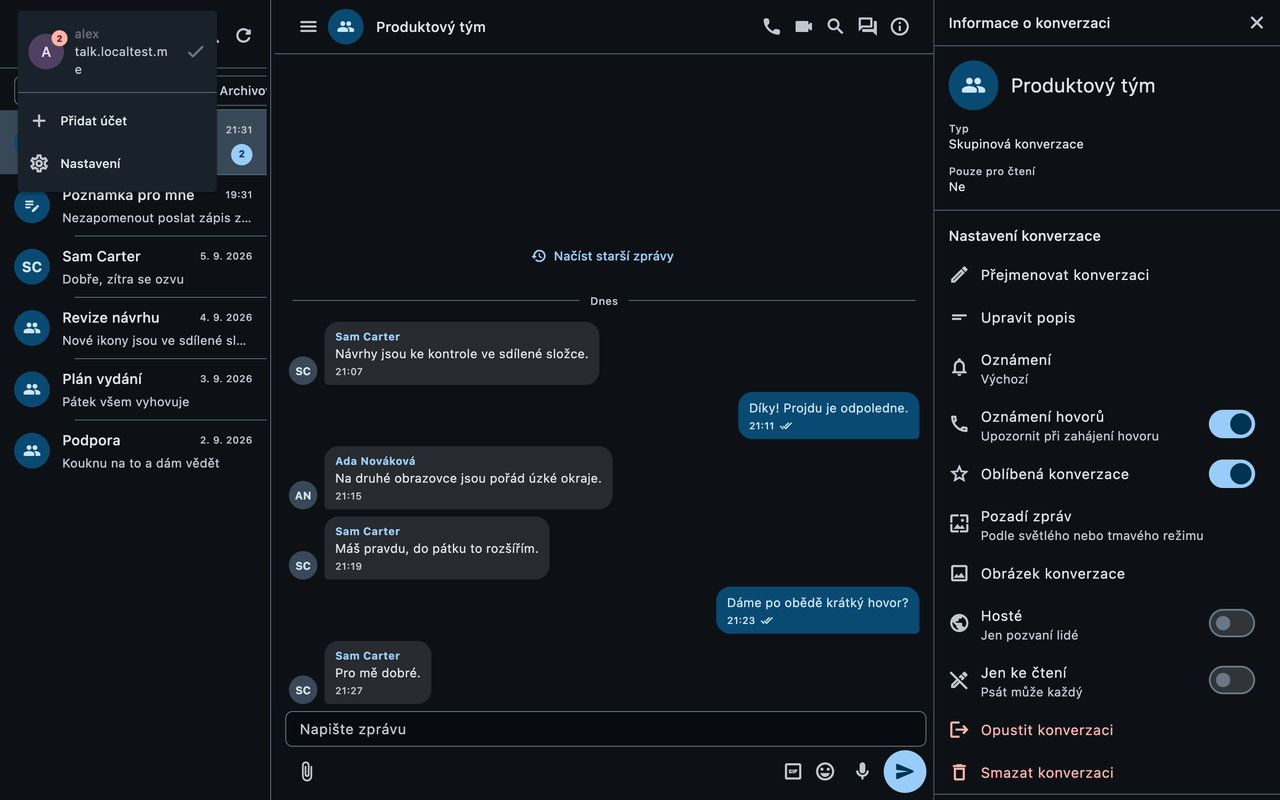
Accounts on different servers run side by side and their data is kept separate. Tapping a notification opens the account and conversation it came from.
Chat that opens even without signal
The conversation list and history load first from a local SQLite database and are then updated from the server. A message written offline waits in an ordered queue and is sent once the connection returns, in the same order it was written. On a train or in a lift the app does not show an empty screen, and a half-written reply does not disappear.
Chat with Talk's features
- replies, threads, reactions, mentions with suggestions, editing and deleting, pinned messages, reminders, silent and scheduled sending,
- Markdown messages and a formatting menu for bold, italic, strikethrough and code,
- photos and files, voice messages, polls, location, contacts or GIFs,
- pasted text longer than 4,000 characters or 40 lines automatically turns into a
.mdor.txtattachment and waits in the compose field until the user sends it, - search across conversations and within one.
Calls with screen sharing
Calls work with audio and video, in groups and with screen sharing. A call goes through the Talk high-performance backend, or through Talk's internal signalling when the server has no backend. When a direct connection fails, a TURN server is used.
Phone, tablet and large monitor
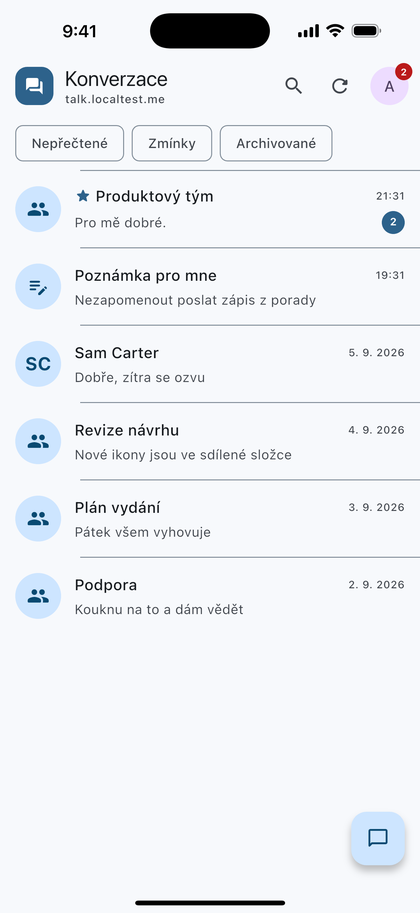
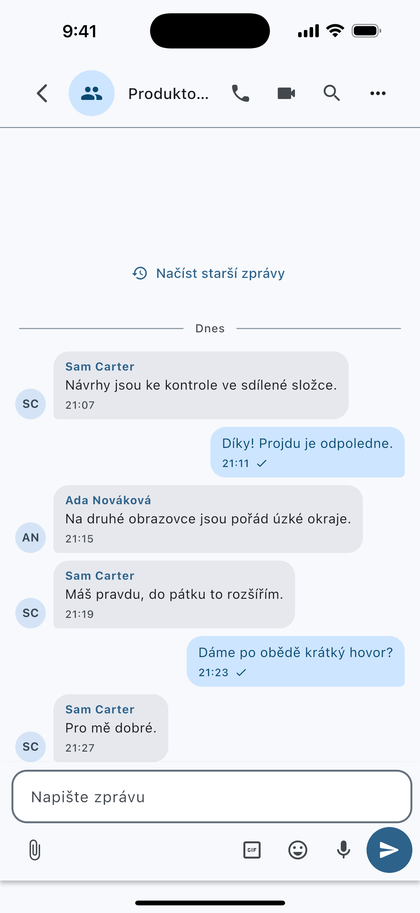
On a phone the app has one pane; on a tablet and a computer, two or three. On a computer everything can be controlled with the keyboard, and the app can start at login, stay in the system tray and download and install newer releases from GitHub by itself.
Lock and accessibility
The app can be locked with biometrics. It is in Czech and English, has a light and a dark theme and has been tested with large fonts and with a screen reader.
How OwnTalk works and how notifications arrive
The app is written in Flutter 3.44 and Dart 3.12; calls go over WebRTC. Communication with the Talk server is described by a separate pure-Dart package, talk_protocol, and the app lives in the apps/mobile directory. Sign-in uses Nextcloud Login Flow v2: the account password is entered on the server's own page and the app receives a generated app password, which it stores in the Android Keystore or the Apple Keychain.
Notifications arrive through three complementary paths:
- Push v2 through our own gateway. Android and iOS register with Nextcloud using the address of the nks-talk-notify gateway, which passes the message to Firebase Cloud Messaging or the Apple Push Notification service. The client chooses the gateway address at registration, so the app does not have to be built separately for each server. The Nextcloud administrator sets the gateway once as
subscription_aware_server. On iOS the gateway is required: only APNs can wake a closed app, and Nextcloud does not talk to it by itself. - Web Push on Android. Nextcloud 34 and later can deliver through Web Push and the UnifiedPush connector. This fallback path is turned on under Settings → Push notifications without a new build and works without our gateway or our Firebase project. The message is, however, carried over Google Play services by the public UnifiedPush gateway; the content is encrypted, but the time and target device are visible.
- Client Push while running. While the app is running, it listens on the
notify_pushwebsocket on all platforms if the server offers it. This is how messages arrive instantly on a computer; Windows, macOS and Linux get notifications while the app is running.
On Android you can reply directly from a notification without opening the app.
Where OwnTalk fits
- A company with its own Nextcloud where people work on Windows, macOS and Linux and want the same app on their phone and computer.
- An administrator who looks after several customers' servers and needs to be in all their conversations from one phone.
- An operator who wants to deliver iPhone notifications through their own infrastructure rather than through the Nextcloud GmbH proxy.
What stays on the server and what goes elsewhere
Conversations and attachments are stored on Nextcloud; the app keeps only a cache on the device. The nks-talk-notify gateway cannot read notification content: Nextcloud encrypts it with the device key and only the phone decrypts it. Official builds send crash reports and anonymous data about which screens are used to self-hosted Sentry and Rybbit instances. Addresses and credentials are removed from the reports, and the installation identifier is a random number not linked to the account. If you build the app yourself without telemetry configuration, it sends nothing anywhere.
Project status
The latest release is 1.0.32 from 27 October 2026; 38 releases have been published on GitHub since September 2026. Up to version 1.0.13 the app was called NKS Talk; the rename kept the package identifiers, data folders and settings in place, so an update does not lose accounts or conversations.
The server needs Nextcloud Talk 22 (Nextcloud 32) or later. The app requires Android 7.0, iOS 15 or macOS 11 and later; the README does not state a minimum version for Windows and Linux. According to the README, 2,761 tests passed in the mobile app on 24 September 2026, 7 were skipped and flutter analyze found nothing.
The Windows installer is not signed with a publisher certificate, so SmartScreen warns once on first launch. The author applied for publication on Google Play on 24 September 2026, and the application is awaiting Google's review.
Download
- Windows, Linux and Android: the Windows x64 installer, the Linux x64 archive and the APK package are attached to each release under Releases, together with a
SHA256SUMSchecksum file. - macOS: a ZIP signed with a Developer ID and notarised by Apple is added to the release later, as it is built on a Mac outside CI. The app is not in the Mac App Store.
- Google Play: not public in the store yet; closed testing is running. You can join with a Google account through the testing page.
- iOS: not in the App Store yet; builds are on TestFlight by invitation. You can request an invitation at dev@nks-hub.cz.
The app has its own website at nc-talk.nks-hub.cz.
Source code
The code is at github.com/nks-hub/nks-nextcloud-talk under GPL-3.0-or-later. Building requires Flutter 3.44 (CI uses 3.44.4) and a JDK, even for Windows and Linux, because the crash reporting library depends on it. OwnTalk has two siblings for other Nextcloud apps: OwnNotes for notes and OwnDeck for Deck kanban boards.