NKS UsbShare
Shares USB devices between Windows, Linux and macOS computers over an encrypted connection, on a local network, over VPN or across the internet. No NuGet packages. The code is public to read; the licence is proprietary.
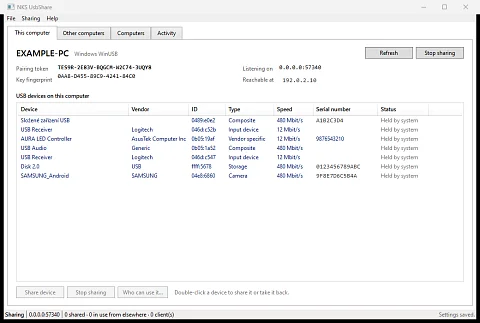
NKS UsbShare is a program for sharing USB devices between Windows, Linux and macOS computers over an encrypted connection. A hardware licence dongle is plugged into a server in the basement, but the program that needs it runs in a virtual machine on another host. A phone sits next to the computer in the workshop and you want to pull data from it on the laptop in the office. A file you need on your Mac is on a USB stick plugged into a Windows PC. In cases like these, NKS UsbShare makes a USB device available to a second computer as if it were plugged in there, over the local network, over a VPN or over the internet.
Why virtualisation and plain USB/IP are not enough
A hypervisor passes a USB device only to virtual machines on the host it is physically plugged into. Linux has the USB/IP protocol for USB over the network, but it sends data unencrypted and does not authenticate clients. Windows has no built-in virtual controller for it, and macOS cannot hand a remote USB device to the system at all.
NKS UsbShare runs every connection over TLS and lets a client in only after pairing. Where the system needs USB/IP, it uses it only inside a single computer on the loopback address, so the unencrypted protocol never leaves the machine. What travels over the network is always the encrypted NKS UsbShare connection.
What the user gets
- Every application sees the device. On Windows and Linux a remote USB stick is attached to the system, and File Explorer shows it as a removable drive.
- No manual driver work on Windows. If a device is held by a system driver, the application switches it to
winusb.sysand switches it back with one button. The user confirms administrator rights once, and Secure Boot stays on. - A Mac can read a disk from another computer. macOS does not allow creating a virtual USB device, so NKS UsbShare talks to the disk directly over SCSI and has its own FAT32 reader. That is how the root directory listing of a USB stick plugged into a Windows PC was produced on a Mac.
- The host decides who may use what. For each shared device you set which paired computers may use it. A blocked computer is disconnected immediately and everything it held is released.
- Three platforms, one interface. The window is WPF on Windows, GTK 3 on Linux and AppKit on macOS, with the same layout everywhere. Every function is also available from the
nksusbcommand line. - An AI agent can drive it too. The MCP server provides tools for sharing, pairing, access rights and taking over a remote device. A whole remote machine can be controlled over MCP in a similar way with RemoteCmd.
- No third-party packages. The solution does not use a single NuGet package, not even in tests; the protocol, the SCSI layer, the FAT32 reader and the AppKit and GTK bindings are all in the repository.
How a device crosses the network
The computer the device is plugged into is the host. The other computer, the client, sends it transfer requests (URBs): which endpoint, which transfer type and what data. The host executes them through the system and returns the result. The connection runs over TCP on port 57340. Control, bulk and interrupt transfers work everywhere; isochronous transfers, used for example by webcams, work only in the Linux part so far.
On Windows, to take over a device the application generates a driver package, signs its catalogue with its own certificate and installs it. It uses only tools that ship with Windows, and Secure Boot is not a problem because winusb.sys is already signed by Microsoft. Windows, however, often keeps the old device stack until the device is unplugged, and while it is waiting for a reboot it will neither disable the device nor restart the hub. The application therefore finishes the takeover by power-cycling the port on the hub in software. Meanwhile the shared device stops working as usual: the USB stick disappears from File Explorer and the keyboard stops typing until the application gives it back.
For the whole system to see a remote device, a virtual USB controller is needed, and only kernel code can create one. Linux has it: vhci_hcd. On Windows, NKS UsbShare uses the controller from the usbip-win2 project, whose drivers are signed by Microsoft. When the first device is attached, the application checks whether the controller works; if not, it downloads the pinned version 0.9.7.8, verifies its SHA-256 fingerprint, installs it and restarts the USB controllers that Windows put to sleep during installation, so the computer is not left with a dead keyboard or mouse.
Where it helps
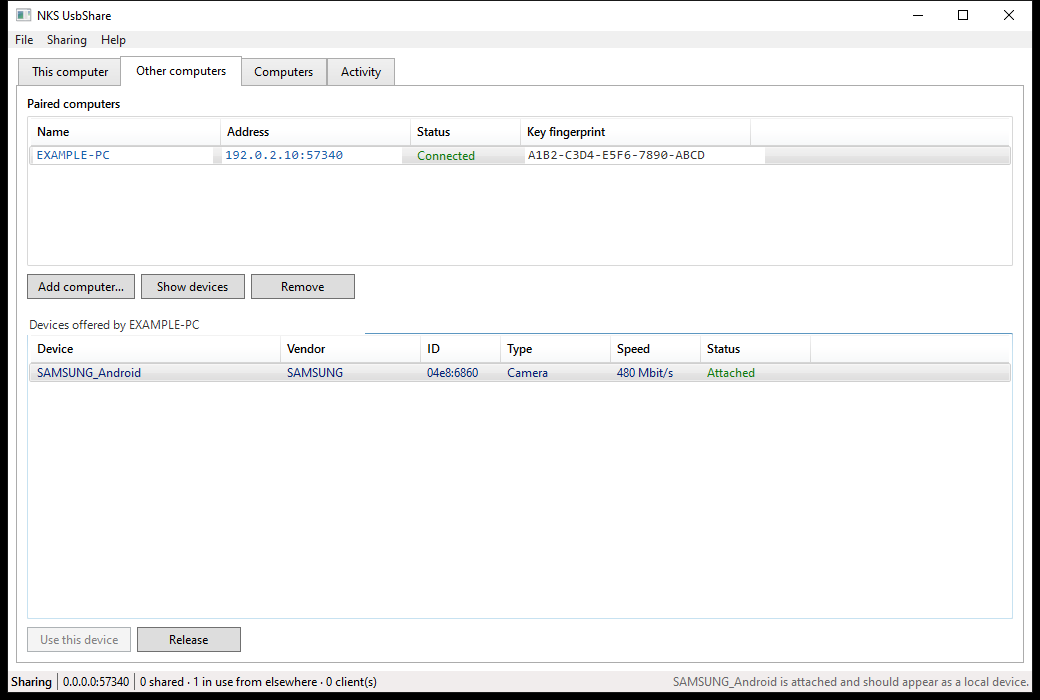
- A virtual machine on another host. A path verified in the README: a USB stick plugged into one computer was attached over a VPN to a Windows 11 virtual machine on another host. The system recognised it, mounted the file system, and a 2 MB file came back identical byte for byte.
- A licence dongle or card reader at the server. The device stays in one place and is used by whichever computer is running the program at the moment.
- A phone or USB stick in another room.
- A USB stick from Windows on a Mac. The
nksusb storagecommand reads the capacity, partition, volume label and directory contents without any driver.
NKS AudioLink makes another computer's hardware available in a similar way, except that instead of USB devices it sends audio to the sound card of a Linux machine.
Encryption and pairing
Every connection runs over TLS 1.3 (1.2 at minimum) before the first byte of the protocol. On first start, each node creates a certificate with a P-384 key. The client remembers the host's key fingerprint on first connection and refuses the connection if the key changes later. There is no certificate authority, because no third party stands between the two computers. The client always authenticates with its own key, so the host sees which computers have connected and can tell them apart. Mutual authentication can optionally be enabled, in which case the host accepts only keys it already knows.
Only a client with a 125-bit pairing token gets in, and the token is compared in constant time. It is displayed in groups of five characters and leaves out characters that are easy to confuse, so it can be read out over the phone.
What is verified and what is not yet
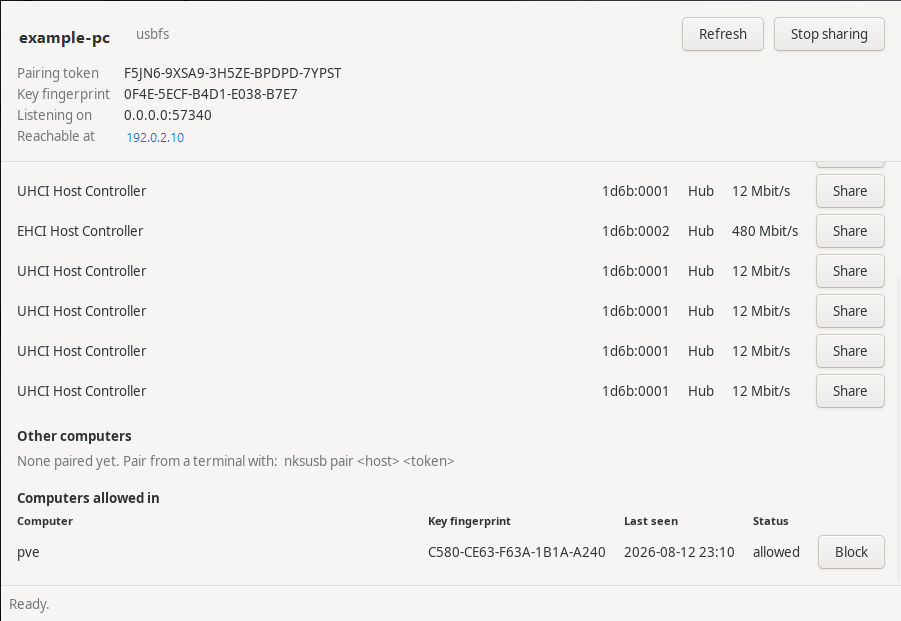
On Windows and Linux, every function has been tested on real hardware. On macOS, device listing, the window, the command line and using a remote device from the application are verified. Sharing devices from a Mac and access rights are implemented there but have not yet run on a real Mac. Handing a remote device to the whole system on macOS is not possible today: apart from HID, Apple does not allow virtual USB devices, and a kernel extension on Apple Silicon would require lowering the boot security level.
The latest release, 1.0.0, is from 13 August 2026. Software port power-cycling instead of a reboot, native driver installation and automatic installation of the virtual controller were added to the code later that same day, so for now they are only in builds from source.
Downloads
Builds are in GitHub Releases: the desktop application for Windows x64, Linux x64 and macOS on Apple Silicon, plus a separate command line tool and MCP server for all three systems. The .NET runtime is bundled; the archives are about 30 MB, the Windows desktop application 59 MB. NKS UsbShare is not in any app store.
nksusb share 3                                   # on the host: share the third device
nksusb pair 192.0.2.10 ABCDE-FGHIJ-KLMNO-PQRST-UVWXY
nksusb attach 192.0.2.10 <device-id>           # on the client: hand the device to the system
To build from source, run dotnet build; the .NET 9 SDK is required.
Source code and licence
The code is at github.com/nks-hub/nks-usbshare, written in C# on .NET 9. The licence is proprietary: the repository has no licence file, and the published code gives no right to use, copy, modify or distribute it. The usbip-win2 controller that the application installs on Windows is under the BSD-2-Clause licence. Deployment can be arranged at dev@nks-hub.cz.