OwnDeck
Nextcloud Deck mobile client for Android and iOS: boards, cards, comments and attachments, offline too. Flutter, currently in closed testing.
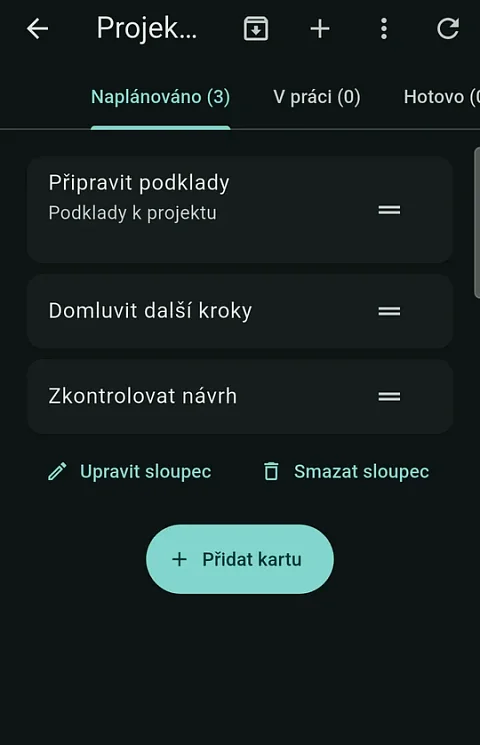
OwnDeck is an independent mobile client for Nextcloud Deck on Android and iOS. Nextcloud Deck is a kanban board on your own Nextcloud server: columns, cards, labels, due dates, comments and attachments, much like Trello, except that the data stays with whoever runs the server. Anyone who manages team work or personal tasks in Deck needs it on the phone too, including places where the signal drops. The app is written in Flutter. It first shows what it has stored on the phone, records every change and sends it once the server is reachable.
Why another Deck client
There is an official Deck app for Android, and OwnDeck takes cues from it when planning features, for example background sync. OwnDeck itself runs on a single codebase for Android and iOS and follows the rule that work done offline is neither lost nor sent twice. The Deck web interface in a phone browser does not work offline; OwnDeck keeps boards, cards and unfinished comments in a local database.
What OwnDeck gives the user
The whole board on the phone
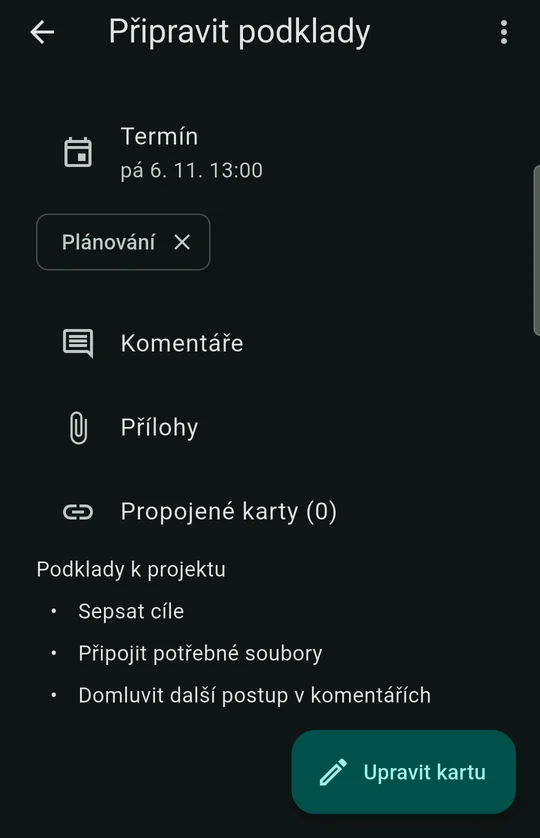
- creates and edits boards, columns and cards: Markdown descriptions, labels, assignees, due dates, colours, linked cards and columns for done cards,
- moves and copies cards, also between boards, and moves, archives or restores several cards at once,
- offers quick due dates in the card editor: Today, Tomorrow, Next week and No due date,
- keeps card comments with mentions suggested from the board's members, and attachments from the phone or from Nextcloud, which can be downloaded and exported.
My tasks and calendar
The My tasks overview gathers cards from all boards under the headings Overdue, Today, Tomorrow, This week, Later and No due date. It can be switched to a monthly calendar with a daily agenda that reads from local data. A card can be marked done straight from the overview, from search or from the calendar. An optional due date reminder arrives as a local notification even when the app is closed and opens the card in the right account.
Offline work that is never sent twice
Every change is written to a local SQLite database and to a queue, from which it is sent once the server is reachable. An unfinished card or comment survives an app restart. When a change collides with another one on the server, the app keeps both versions and leaves the decision to the user. If creating a card or comment timed out, the app does not resend it on its own, because it may already have gone through on the server; instead of creating a duplicate, it tells the user that the outcome is uncertain.
Background sending is optional. On Android it runs through WorkManager with an interval of 15 minutes, 1 hour or 6 hours and a Wi-Fi-only option; on iOS it uses the task scheduler within the limits the system allows.
Multiple accounts and links to cards
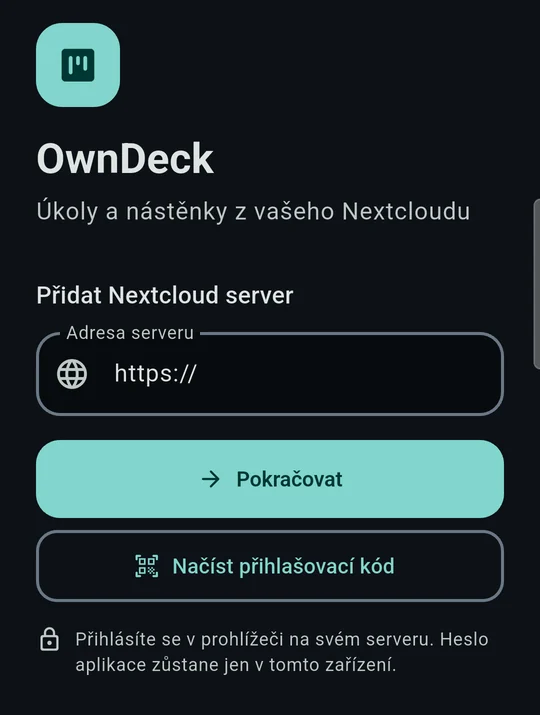
OwnDeck works with several accounts and servers at once and keeps their data separate, even when two servers use the same board numbers. A link to a specific card opens the card in the right account. Search covers both stored data and the server.
How it works
The code is split into three parts. The app in apps/mobile contains the screens, secure storage and file handling. The deck_protocol package holds the data models, login through Nextcloud Login Flow v2 and the REST and OCS client. The deck_store package holds the local database built on the Drift library and the write queue. Riverpod passes state to the screens. The split has a practical consequence: the protocol and the database are tested separately in pure Dart, without a phone.
The app needs Android 7 or iOS 14 and a Nextcloud server with Deck API 1.1 reachable over HTTPS. It is verified against a live server running Deck 1.18.5. Moving a card between boards also passed an integration test in CI against Nextcloud 35.0.2 with Deck 1.19.1, both for the board owner and for a user who may edit cards but does not manage the board: the card keeps its number, comments, assignees and attachment contents.
Who it is for
- Teams that plan work in Deck on a company Nextcloud and want cards, due dates and comments on Android and iOS phones.
- People who use Deck as a personal task list and need an overview of due dates and reminders.
- Field work with a weak signal, where a change has to be recorded immediately and sent later.
- People with accounts on several servers, such as their own Nextcloud and a customer's.
Privacy and security
The app password is stored in the iOS Keychain and the Android Keystore, never in the card database. The official build sends error reports to Sentry and limited statistics to Rybbit. Both are on after installation and each can be turned off separately in the app. Collection of native crashes, app hangs, session replays and automatic sessions is disabled. A build from source without telemetry configuration does not start these services at all.
Project status and plans
Version 0.1.4 from 27 October 2026 is in closed testing on Google Play and in TestFlight. It was submitted to the App Store for review on 27 October, but App Review returned it with a request for more information, and a new submission is being prepared. On Google Play, the release is waiting for a store requirement: twelve testers for fourteen days in a closed test.
This version has no system push notifications. The app only has an overview of Deck notifications and a local due date reminder. The interface is in Czech and English.
The app is going through a redesign of the whole interface, and full verification of all features on the final candidate, on Galaxy S9 and S21 phones and in the iOS simulator, is still open. Smoothness measurements show where it struggles: on a Galaxy S21, 95% of frames while scrolling a board render within 10.1 ms against a target of 16.7 ms; on the older S9+ it is 28.7 to 30.7 ms and the target is not met yet.
Planned:
- versions for Windows, macOS and Linux; the Windows build already opens the OwnDeck window in 1.1 seconds, while the installer and signed releases remain,
- sharing photos and files from other apps as card attachments, and taking a photo directly from the card detail,
- a My tasks home screen widget and an Add card shortcut,
- shared login with OwnTalk and OwnNotes: an account signed in to one app is offered by the others on the login screen, always only with consent.
Downloads
- Google Play: not publicly in the store yet. You can join the closed test with a Google account through the testing page.
- iOS: not in the App Store yet; version 0.1.4 is being prepared for resubmission after App Review returned it. Until then, builds are in TestFlight; request an invitation at dev@nks-hub.cz.
- From source: there are no ready-made packages on GitHub. A development build runs with
flutter pub getandflutter runin theapps/mobiledirectory; it needs Flutter 3.44.4 and, for iOS, Xcode 26.3.
OwnDeck does not have its own website yet.
Source code
The code is on GitHub in the nks-hub/owndeck repository under the MIT licence. The product specification, the Deck API analysis and the architecture description in the repository are in Czech.