OwnNotes
Nextcloud Notes mobile client for Android and iOS. Notes are kept on the phone too, so you can write offline, and on the server they stay plain Markdown files.
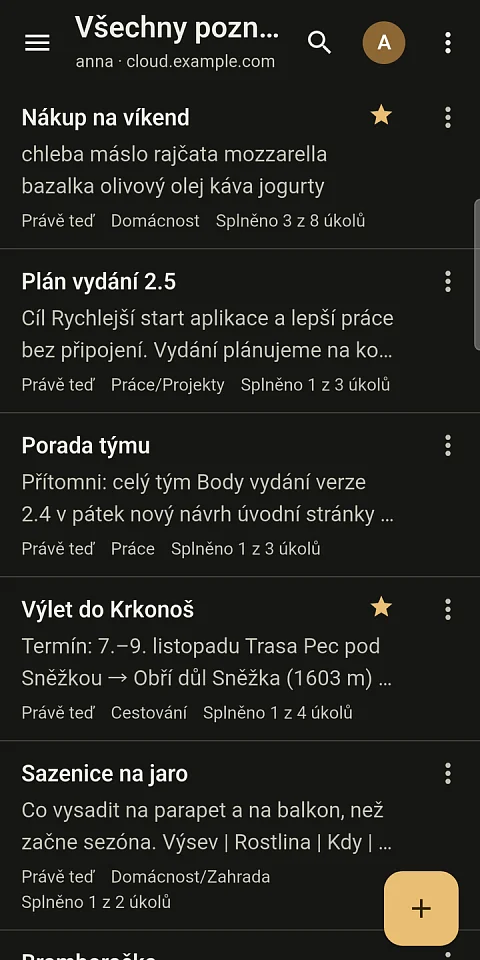
OwnNotes is a Nextcloud Notes mobile client for Android and iOS. If your notes are in Nextcloud, they are on your own server, but on a train with no signal or at a cottage with a weak connection the Notes web interface cannot reach them. OwnNotes keeps notes from the Nextcloud Notes app on the phone as well. You can write and edit offline, and once the signal comes back, the app syncs the changes with the server. The server keeps plain Markdown files and categories map to folders, so the Notes web interface, the Text app and any other client can still open them.
Notes on your own server, not in someone else's storage
Notes in Google Keep or Apple Notes live on their operator's servers. OwnNotes talks directly to the Nextcloud whose address the user enters and adds nothing to the format Notes uses: notes are Markdown files in the Notes folder, attachments sit in a .attachments.<id> folder next to the note, and sharing uses ordinary Nextcloud shares. Anything that exists only for the app, such as saved views or locks, stays on the phone. Anyone who stops using OwnNotes has nothing to convert.
Users moving from Google Keep can import a Google Takeout ZIP archive, attachments included.
What OwnNotes gives the user
Writing without signal and without losing text
Notes are stored in a local SQLite database and saved continuously. A change made offline waits in a queue; while the app is open it retries every 30 seconds and shows at the top how many changes have not been sent yet and why. On Android, changes are sent even when the app is closed, through WorkManager, with a configurable interval of 15 or 30 minutes or 1 or 6 hours and a Wi-Fi-only option. The system decides when the job actually runs.
Conflicts are not overwritten silently
If the same note was changed elsewhere in the meantime, the app does not overwrite the server. It shows both versions and lets the user choose, or merges them line by line and shows the result before saving it. Edits that touch different lines from the change made on the other device are merged automatically. An open note is compared with the server every 4 seconds, so text added on a computer appears on the phone and the cursor stays in place.
The editor stays in Markdown
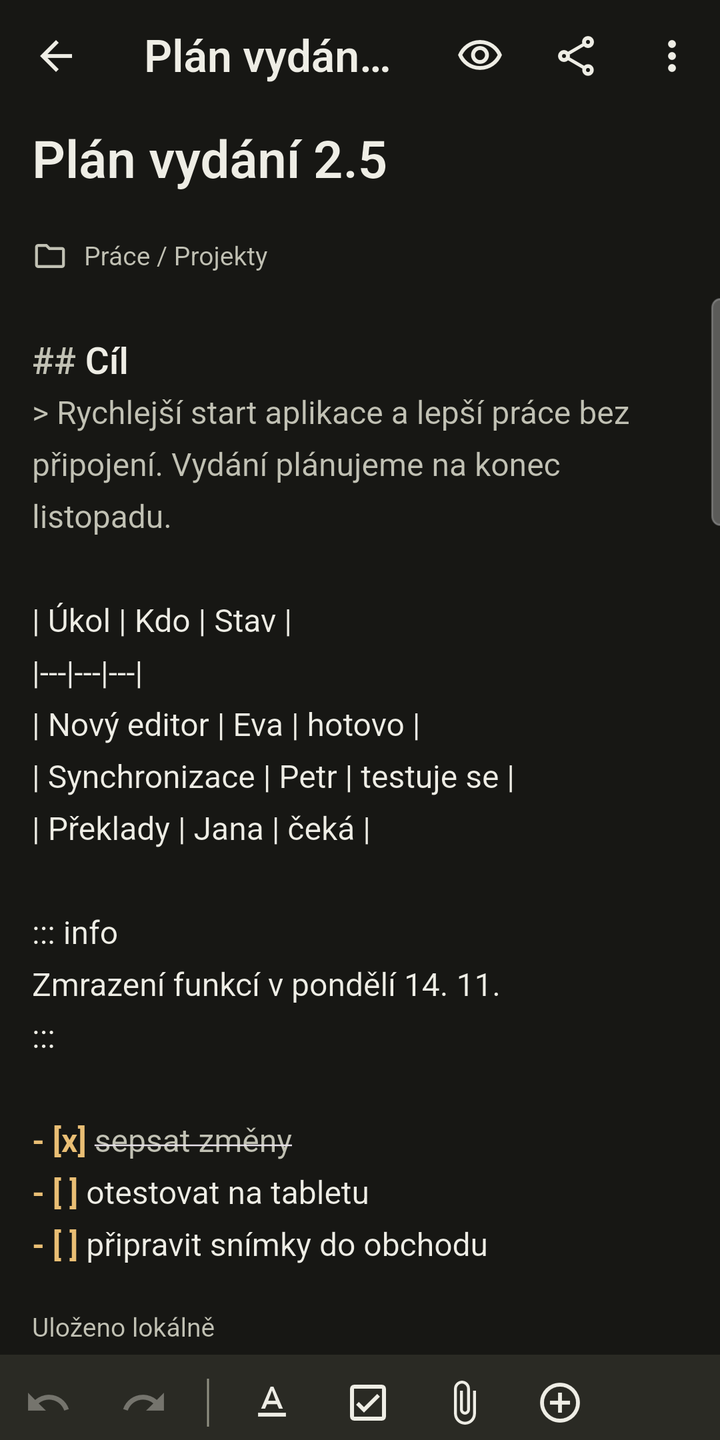
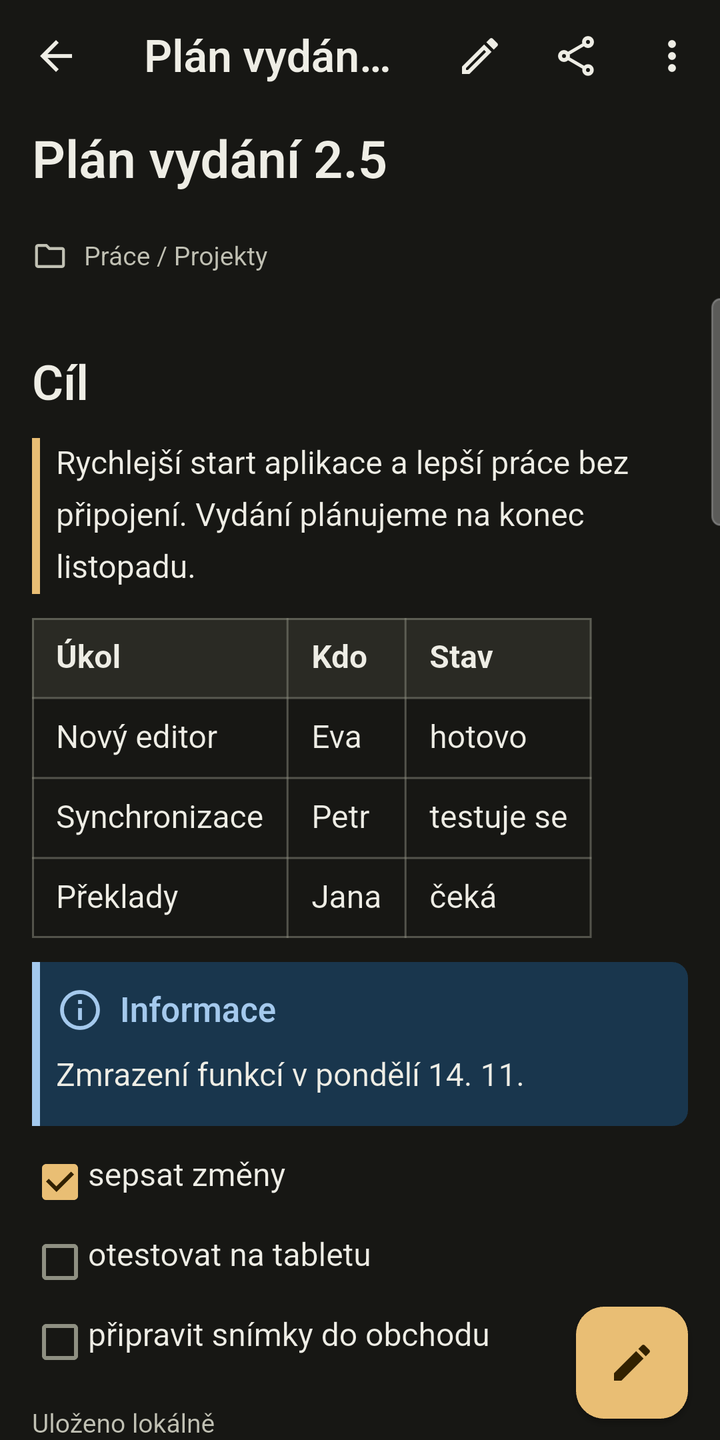
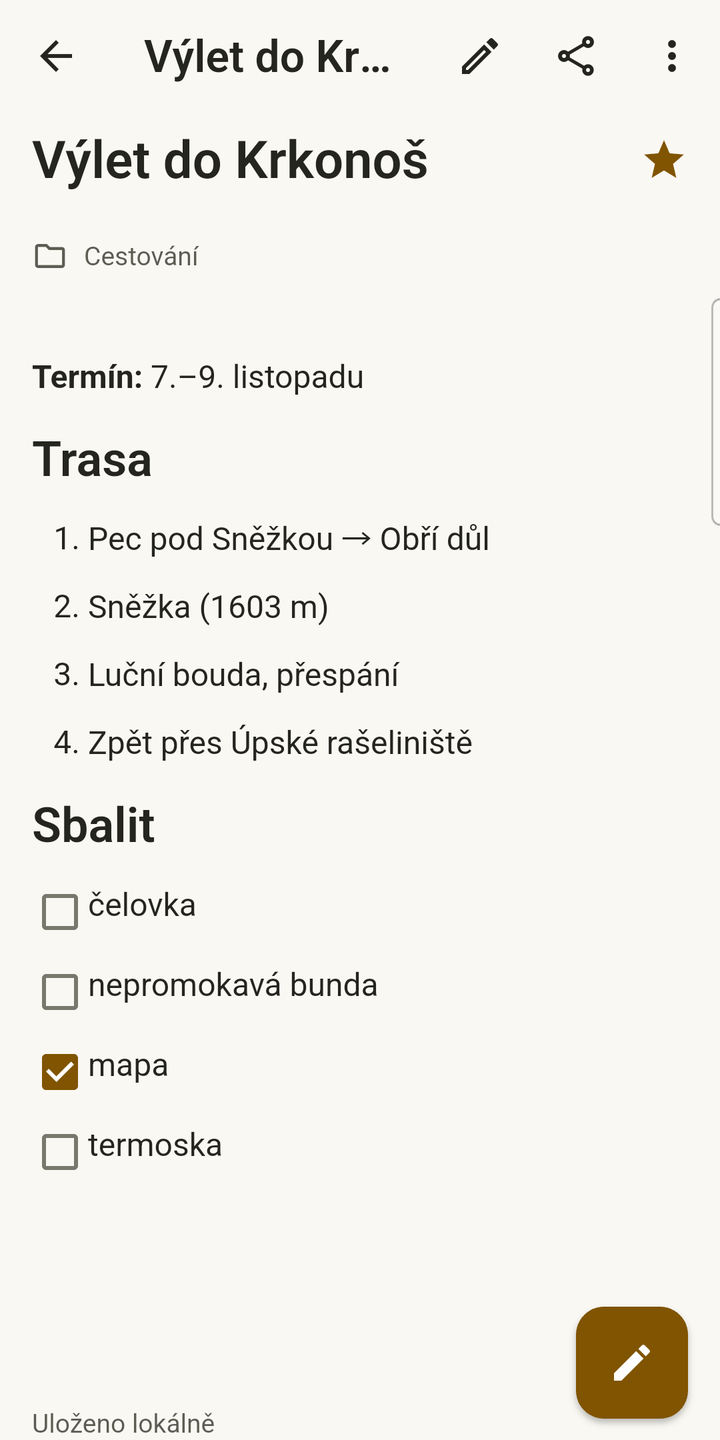
The editor shows the Markdown source, and the preview is switched on with a button, never on its own. In the preview you can tick off tasks, and tapping the text opens the editor at the line you tapped. There are also templates, a daily note, edit history, in-note search and a formatting toolbar above the keyboard.
Order among hundreds of notes
Notes are sorted into categories and favourites. The app remembers saved views, filters by attachments, tasks, sync status and notes shared with the user, and supports bulk actions. Notes can be sorted by title or last modification.
Attachments and content from other apps
Photos, files and voice notes go through a transfer queue with a local cache, so an image in the preview shows even without a network. Text or a file from another app can be saved as a new note or appended to an existing one. A note can be shared with another user through Nextcloud.
The phone as a notebook
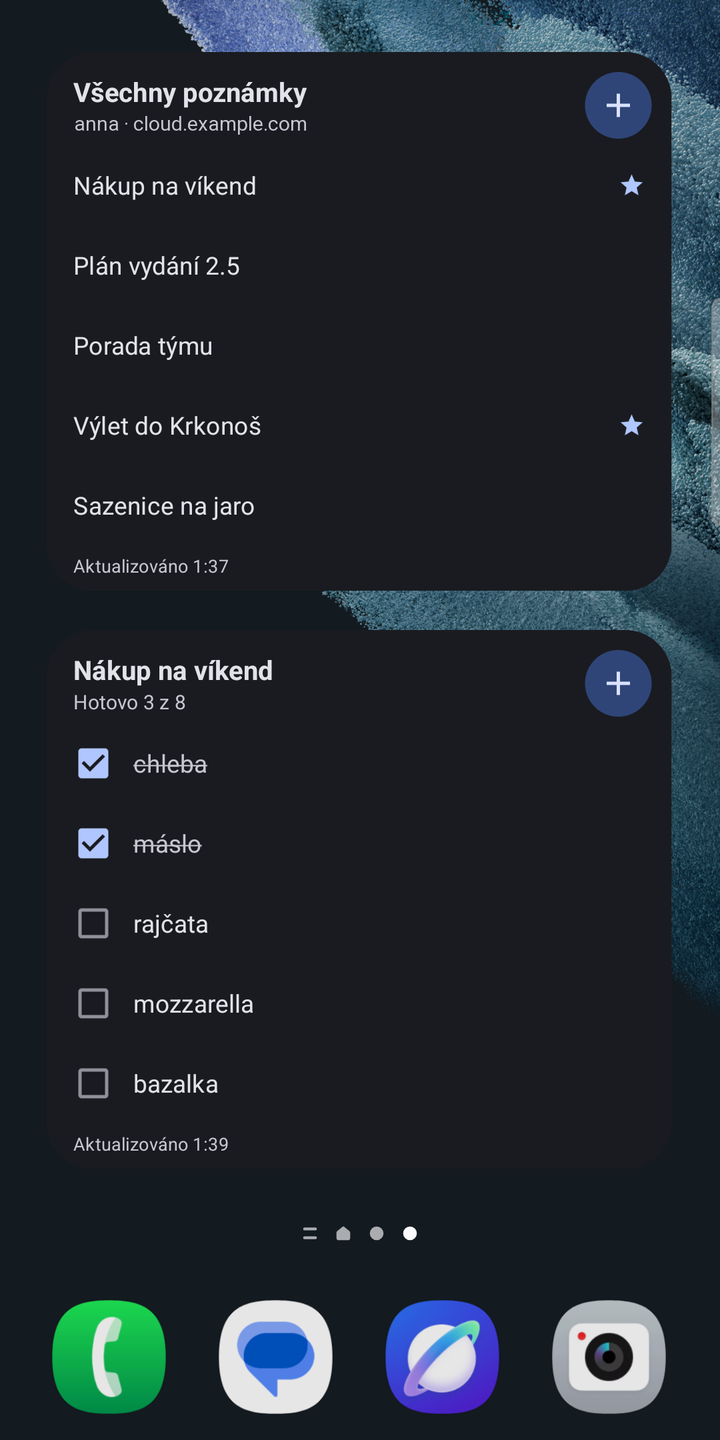
Android home screen widgets are available for a note list, a single note, a checklist or a quick note. There are also shortcuts on the app icon and a New note tile in Quick Settings. On a wide display, such as a tablet, the list and the editor sit side by side. The interface is in Czech, English and German.
How it works
The app is written in Flutter 3.47.7 and Dart 3.13.5. The code is split into a package with the Notes API protocol, a package with the local database, and the mobile app. Login uses Nextcloud Login Flow v2, so the account password is entered on your own server's page, or by scanning a QR code. The app receives an app password and stores it in the Android Keystore or the iOS Keychain. Several accounts can be signed in. When an account is removed, the app revokes the app password on the server and warns beforehand how many notes have not yet been sent to the server.
Sync asks only for changes since the last download, and the point to resume from survives a restart. An interrupted download or skipped local changes do not move it forward, so nothing gets lost.
Who it is for
- Nextcloud users who write notes on their phone and do not want to wait for a signal.
- Companies that run their own Nextcloud and do not want work notes stored with an outside provider.
- People who switch between phone and computer: OwnNotes on the phone, the Notes web interface or any editor over a synced folder on the computer.
- Moving from Google Keep, attachments included.
Privacy and security
Note content travels only between the phone and your own Nextcloud server. The app can be locked with a fingerprint, face or the phone's screen lock, and while it is locked the widgets hide note titles. On Android, screenshots can be blocked. The local SQLite database is not encrypted.
Sentry crash reporting and Rybbit analytics are included in the app only when the build configuration enables them, and even then each can be turned off separately in settings. According to the product website, reports contain neither note text, note titles nor the server address. A build from source without telemetry configuration sends nothing.
Project status and plans
The latest version is 0.2.6 from 27 October 2026. The app is in closed testing on Google Play and in TestFlight. For version 0.2.5, CI ran 390 mobile app tests, 129 protocol tests and 113 database tests. Sync and login are verified on Galaxy S9 and S21 phones against a real Nextcloud 34 server.
What is still missing is tracked in the repository in TODO.md:
- background sync on iOS and instant updates through
notify_push, - a backup that can be restored; the current ZIP export contains notes in Markdown by category, but not metadata or attachments,
- trash and version history from the server,
- a version for Windows, macOS and Linux, broken down into thirty steps based on the desktop version of OwnTalk,
- shared login: if an account is already signed in to OwnTalk or OwnDeck, OwnNotes offers it on the login screen, never automatically.
Widgets, sharing from other apps and quick actions on iOS have so far been tested only in the simulator; a test on a real iPhone is planned. The layout for the foldable Galaxy Fold is verified only in the emulator.
Downloads
- Google Play: not publicly in the store yet. You can join the closed test with a Google account through the testing page.
- iOS: not in the App Store yet; builds are in TestFlight. Request an invitation at dev@nks-hub.cz.
- From source: there are no ready-made packages in GitHub Releases; build the app with
flutter pub getandflutter runin theapps/mobiledirectory.
The app has its own website at ownnotes.nks-hub.cz. The server needs Nextcloud with the Notes app; the phone needs Android 7.0 or iOS 15.0 or later.
Source code
The code is at github.com/nks-hub/ownnotes under the MIT licence.