NKS MailVault
Company email archive from IMAP, Gmail, Microsoft 365 and exports, with full-text search, role-based sharing and an MCP server for AI assistants.
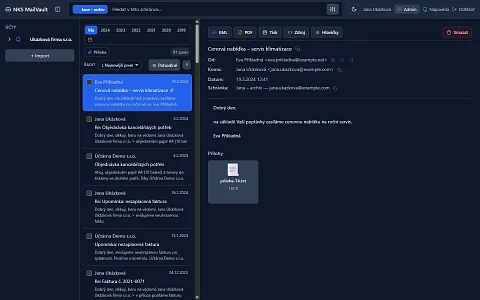
NKS MailVault is a company email archive with full-text search. A company changes its mail provider, a former colleague's mailbox is due to be closed, the server reports a full quota. Each time, the old mail is in the way: contracts, invoices and arrangements with suppliers from five years ago. It cannot be deleted, and carrying it from one mail server to the next is expensive and slow. Mail from different mailboxes and formats is imported into NKS MailVault once and then lives there on its own. Even after the original mail server is shut down, the archive stays and can be searched.
Mail that does not depend on a mail server
The usual approach is to leave old messages on the server and pay for a bigger mailbox, or to download them into a mail client on one computer. The first option grows every year; the second ends with that computer, and nobody else can get to it. Exports from Gmail or Outlook end up as a file on a disk that cannot be searched.
MailVault takes mail from anywhere, stores it once and adds search, sharing with colleagues and export back to standard formats. One installation holds several companies, and each sees only its own mailboxes.
Import from everything people actually have
- Files: single EML messages, MBOX archives from Thunderbird or Apple Mail, Apple Mail mailbox exports, Google Takeout ZIP files and Zimbra exports, where folders become labels. Outlook PST is still experimental.
- Live IMAP connection: Gmail, Microsoft 365 and any other server. During import you choose how much history to fetch (all, 30 days, 90 days, a year or a custom range), and the archive then fetches new messages on a schedule.
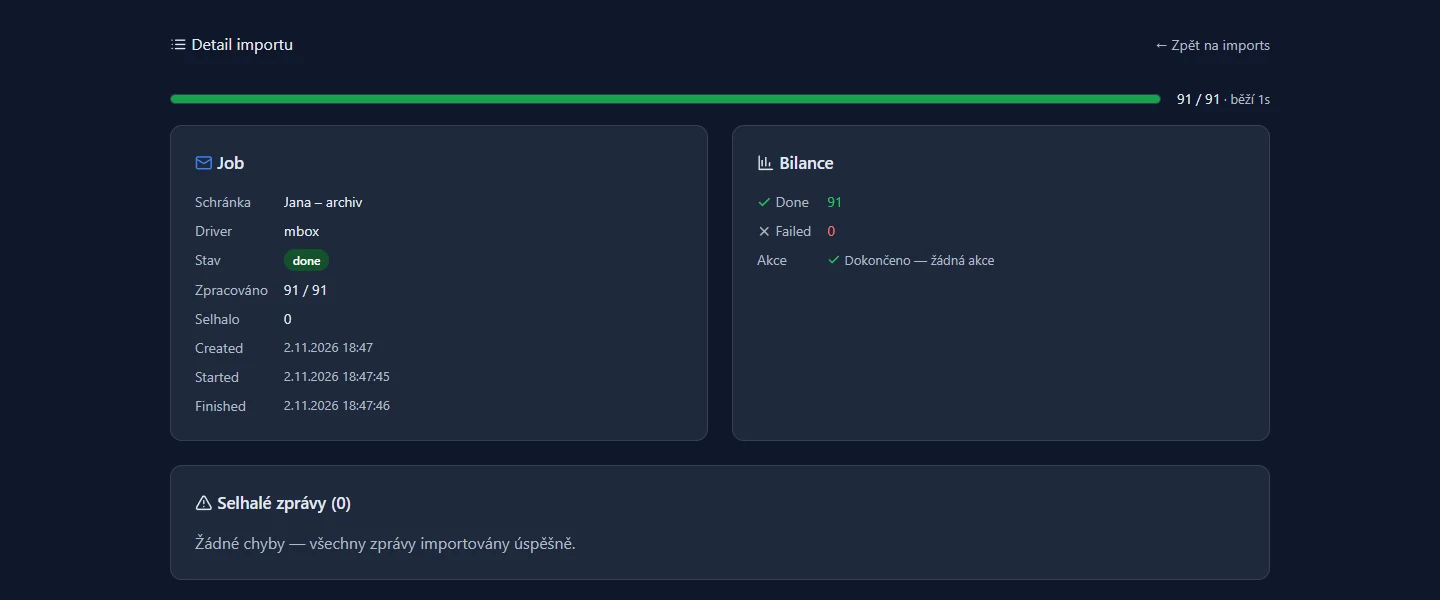
- Large archives: files upload in chunks with a progress bar, and an interrupted upload resumes where it stopped.
- No duplicates: a message already in the archive is not added again. Importing the same file a second time adds zero messages, so it is safe to run twice.
Archiving with source mailbox cleanup
For IMAP mailboxes, MailVault can do more than copy mail: after archiving, it can delete old messages from the source server. Only the last few years stay on the server and the quota stops growing, while the archive keeps everything.
Deleting from the server is the most sensitive operation in the whole system, so it has several safeguards:
- The default threshold is three years: newer messages stay on the server. On top of that, a 30-day protection window after archiving applies, during which nothing is deleted.
- Every new policy starts in trial mode, which only counts candidates and deletes nothing.
- Trash, spam, drafts and Gmail's special folders are never deleted.
- Before deletion, the message is downloaded from the server again and compared with the archived copy. If they do not match, it is skipped.
- Deleted messages can be restored to the server. Content, attachments and the message ID are restored; only the message's sequence number on the server will be new.
Gmail-style search across the whole archive
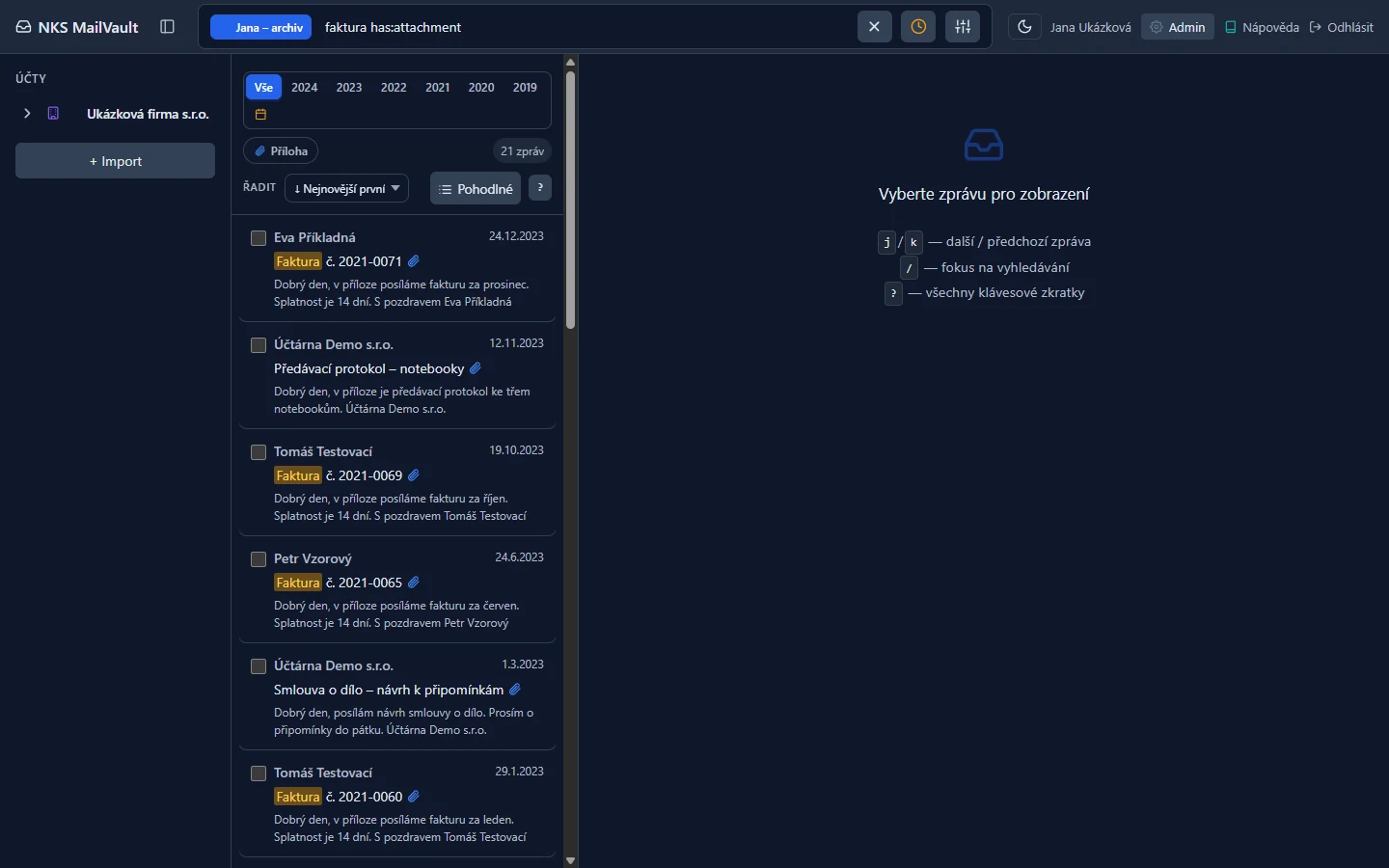
The field at the top searches subject, sender and message text. Anyone who knows Gmail can use the same operators: from:, to:, subject:, has:attachment, before:, after: and label:. Anyone who does not can insert them from a menu next to the field. Results appear 0.7 seconds after you stop typing, with the search terms highlighted in the text.
Search ignores diacritics, so "fakturar" finds "fakturář" (Czech for billing clerk), and it completes word beginnings: "fakt" finds "faktura" (invoice). It does not yet handle Czech inflection, so "auta" does not find "autům" (two forms of the word for car). Next to search there are filters by year, custom date range and attachments, and six sort orders. You can search one mailbox or all mailboxes in the organisation that the user has access to.
Reading, threads and export
The archive is read in three panes: mailboxes, message list, detail. A conversation can be shown in full, one message below another, and headers and the raw message source are available. Images from external servers are blocked by default, so opening an old message does not tell anyone it is being read. The interface has light and dark themes and keyboard control, and adapts to phones.
Mail goes out in standard formats: a single message or a whole thread as EML or PDF, a whole mailbox as MBOX or a ZIP of individual messages. MBOX opens in Thunderbird, Apple Mail and mutt. A large mailbox downloads in parts, so export does not depend on how much memory the server has.
Who may see what
The archive is divided into organisations, mailboxes and users. A mailbox is either private or shared within the organisation, and reading its content always requires explicitly granted access. An organisation admin sees mailbox names but cannot read the content of a private mailbox without access.
| Role | Read | Export | Delete | Share |
|---|---|---|---|---|
| Reader | yes | yes | no | no |
| Editor | yes | yes | yes | no |
| Owner | yes | yes | yes | yes |
| Auditor | yes | no | no | no |
Auditor is a role for review: it reads but exports nothing, so data does not leave the archive. Access changes apply immediately, without signing in again. Every export, grant and revocation of access is written to an audit log that cannot be edited or deleted. An organisation can be limited in the number of members, mailboxes and storage size.
Sign-in and data protection
Users sign in through single sign-on (SSO) or with a password. After five failed attempts within 15 minutes, further sign-ins are temporarily blocked. One button in the profile signs out all devices. IMAP mailbox passwords are encrypted in the database. Every delete action waits for confirmation in a dialog where "Cancel" is the default.
API and an AI assistant over the archive
MailVault has a REST API with interactive documentation and personal access tokens with limited scopes. The API can also export the results of any search.
The archive comes with a separate MCP server through which an AI assistant, such as Claude Desktop or Claude Code, works with the archive. It has 16 tools in the groups mailboxes, messages, threads, audit, export and administration. The assistant can find messages matching a request, read a thread, download an attachment or prepare a PDF of a message. Read-only tools are marked differently from those that delete, so the client can ask for confirmation before deleting. Bulk deletion is capped at 1,000 messages per call. The server runs locally next to the assistant or as an HTTP service, and checks at startup that the access token is valid.
Typical deployments
- Moving to another mail provider: a one-time import without deletion, so old mail stays searchable in the archive.
- Mailboxes running out of quota: regular archiving with cleanup of messages older than a chosen threshold.
- Mail after an employee leaves: the mailbox is closed and the messages stay available to the people management grants access to.
- Finding correspondence for accounting or legal purposes, with PDF export and a record of who exported what.
Project status
MailVault is in production; the current series is 1.10. It runs on PHP with a PostgreSQL database, and the MCP server is written in TypeScript. Outlook PST import is still experimental and search does not handle Czech inflection; both are described above.
Interested in using it?
Want a mail archive for your company? Write through the enquiry form or to dev@nks-hub.cz.